





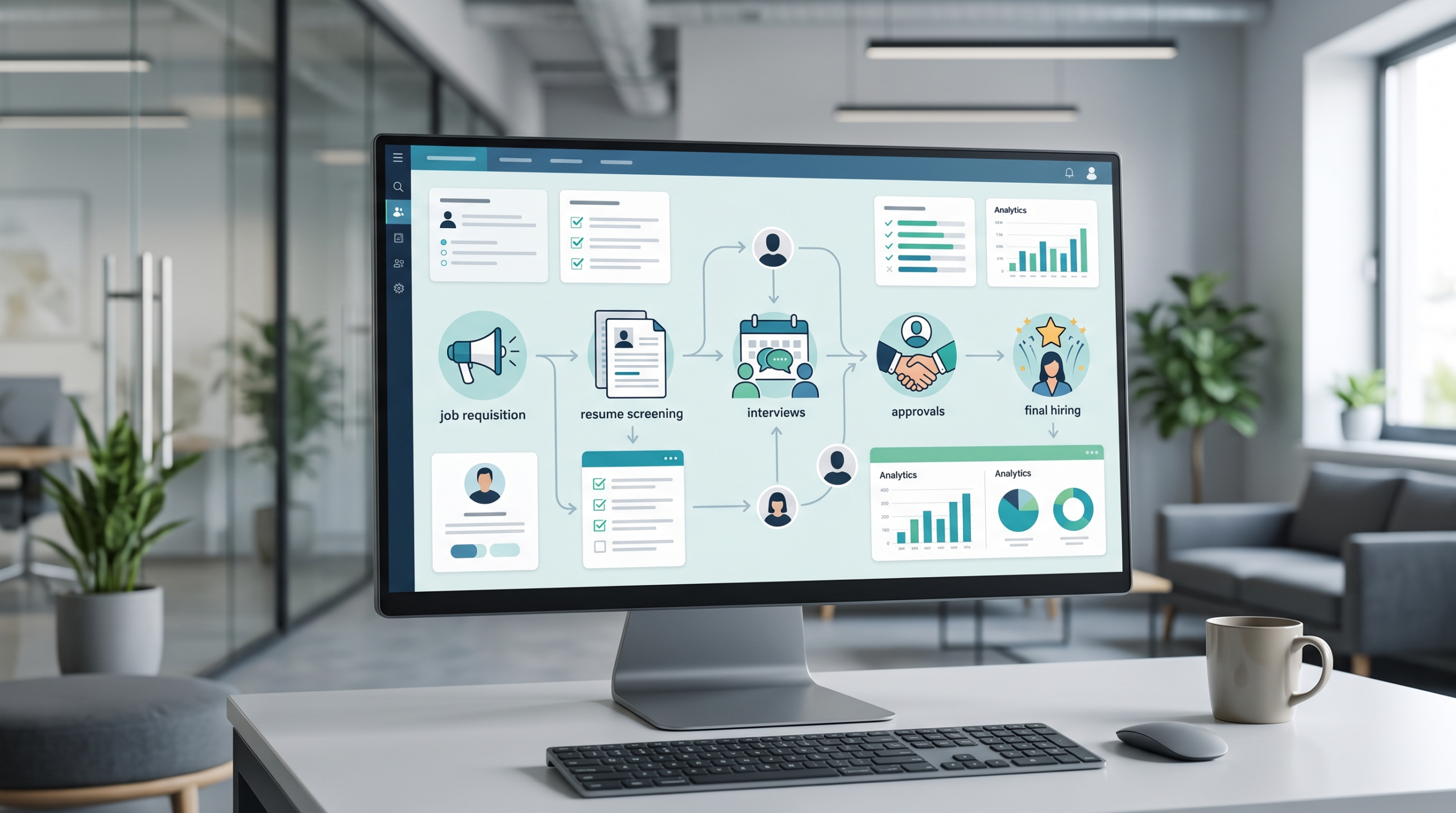
An Applicant Tracking System only works if it matches how a company already hires. Most growing teams compare features first, then discover their approval steps, interview stages, or candidate communication don’t fit the software. The better order is to map the current hiring workflow, identify where it breaks down, then match those breakdowns to specific ATS Recruiting Software capabilities. This sequence prevents the most common and costly Applicant Tracking System buying mistake: choosing a platform before knowing what actually needs fixing.
Every growing company hits a specific moment. Someone on the HR team is juggling five spreadsheets, a shared inbox nobody checks fast enough, and a hiring manager asking about a candidate nobody remembers scheduling. The team isn’t failing. It just outgrew the tools it started with.
That’s usually when someone says the company needs an Applicant Tracking System. It’s the right instinct, but most teams get the order wrong. They start comparing software before writing down what’s actually broken in their hiring process. Here’s why that sequence backfires, and what to map out before your first demo.
The Real Reason Most Applicant Tracking System Rollouts Fail
Most Applicant Tracking System rollouts fail for a boring reason: they pick the software before anyone agrees on what it’s supposed to fix. Teams get excited about AI screening or a slick dashboard and skip the harder question of what’s actually slowing hiring down.
Take a five-step approval chain. If a hiring manager, a department head, and finance all need to sign off before an offer goes out, and the new platform only supports two approval stages, nothing gets solved. The bottleneck moves into unfamiliar software. Teams already stretched by recruiter workload rarely have the patience to relearn a broken process on top of a new interface.
Map Your Hiring Workflow Before You Compare a Single Vendor
Mapping the workflow doesn’t mean drawing a flowchart for a file drawer nobody opens. It means writing down, step by step, what actually happens between a job requisition and a signed offer, including the parts still held together manually.
Start with these:
- List every stage from requisition to offer, in the order it really happens.
- Note where handoffs stall, like a resume sitting unread for days
- Flag every manual step still running on spreadsheets or forwarded emails
- Identify who approves what, and how long each approval usually takes
- Record where candidates tend to drop out, and at which stage
Building an ATS Selection Checklist That Actually Reflects Your Hiring
A generic ATS Selection Checklist pulled from a review site will ask about integrations and pricing tiers. It won’t ask whether the software fits your approval chain or how your team talks to candidates, because it wasn’t built for your company.
Build one from the workflow map instead:
- Does it support your real approval routing, not a simplified version?
- Can scheduling handle your actual calendar constraints
- Does candidate communication trigger where people currently forget to follow up
- What reporting do you genuinely need, versus what looks good in a demo
- Which current tools does it need to replace
What Separates the Best ATS Software From Everything Else
The Best Applicant Tracking Software for your company isn’t the one with the longest feature list. It’s the one that removes the exact friction you found while mapping your workflow.
A platform can have brilliant AI screening and still miss the mark if the real problem sits elsewhere. If hiring manager bottlenecks are slowing your offers down, a tool that only speeds up resume screening won’t move the needle where it counts.
Signs Your Team Is Ready to Shop for Recruiting Software
Readiness isn’t about how many people you’re hiring this quarter. It’s about how much your current process costs you in time and candidates. If you recognize a few of these, it’s time to look at ATS Recruiting Software.
- Re-entering the same candidate information into three different places
- Approvals routinely taking longer than five business days.
- Candidate communication depending on someone remembering to send an email.
- Nobody can say, without digging, where candidates are dropping off.
The Smarter Way to Start Your ATS Search
Map first, shop second. It’s a simple rule, and most companies skip it once the pressure to hire faster builds. An Applicant Tracking System bought to match a mapped workflow gets adopted. One bought to match a features list usually gets worked around within six months.
This is also where Recruitment Management Software built around workflow fit, like FlowHCM, tends to make more sense than a platform trying to be everything for everyone. Whether you’re comparing ATS Recruiting Software platforms or narrowing down the Best Recruitment Software for one department, the workflow map you built earlier makes the shortlist obvious instead of overwhelming.