





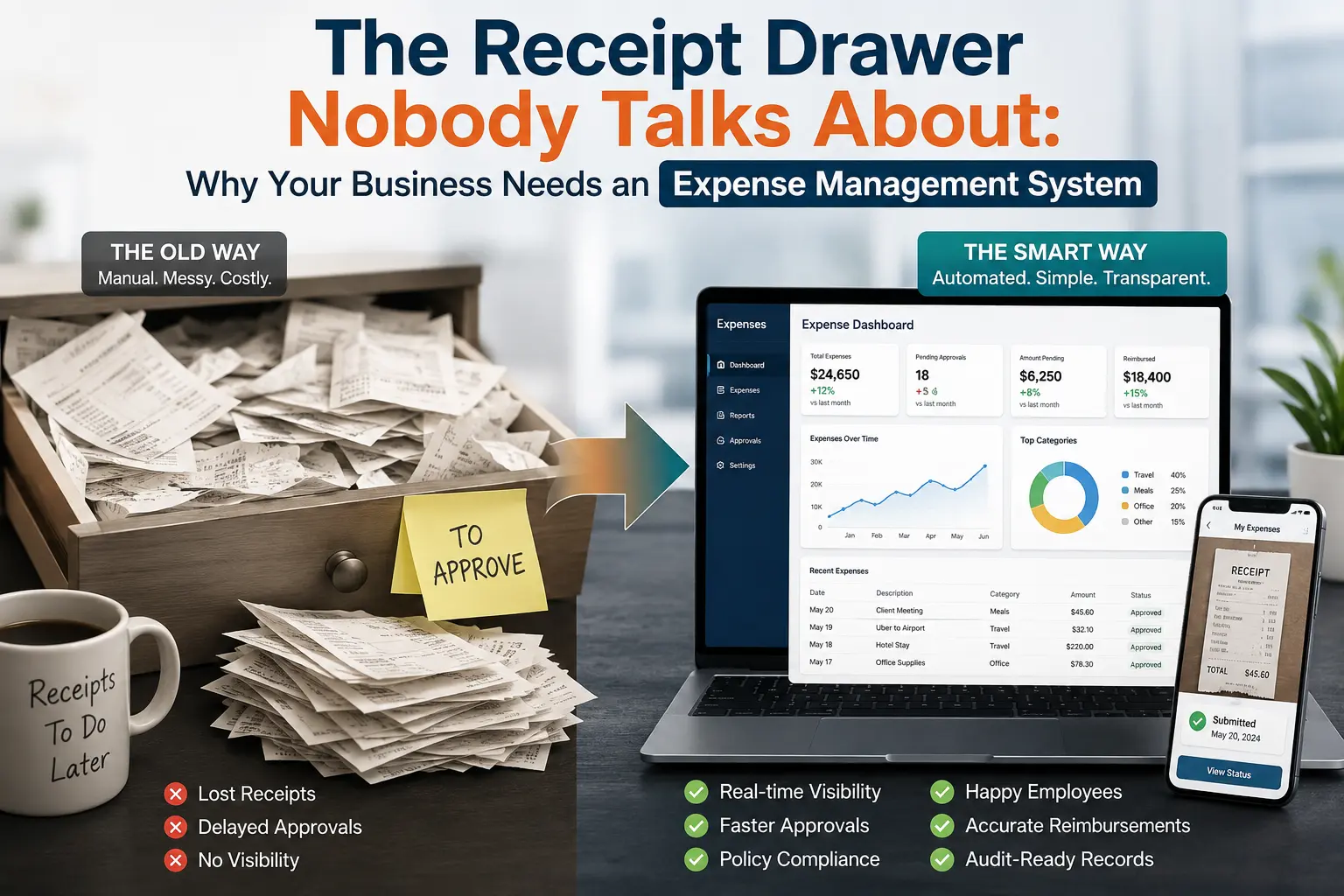
An expense management system replaces scattered receipts and manual approvals with one digital record of every claim. Instead of employees emailing receipt photos and finance chasing sign-offs, the system captures each expense at submission, routes it for approval automatically, and updates in real time. Finance sees spend as it happens, not weeks later during reconciliation. For growing companies, that means faster reimbursements, fewer disputes over missing documentation, and a clean audit trail without extra manual work.
Every company has a spot where receipts pile up. A drawer stuffed with crumpled expenditure slips, a “receipts” folder nobody opens, a Slack channel that is just a graveyard for screenshots. Nothing happens until payday. Then finance emails three different managers for sign-off, and an employee asks, for the second time, where their money is. Nobody flags it as broken. It’s just what payday looks like now.
But the real issue isn’t filing; it’s visibility. Expenses go unrecorded for weeks, and no one- not the employee, manager, or finance- knows what the company is spending until it’s too late to act. By the time anyone spots a trend, the money is already gone, and all that’s left is damage control. An expense management system solves this by recording spending as it happens, not weeks later. That’s the main reason to make the switch.
The Receipt Backlog That Never Actually Clears
Many people think the backlog is caused by disorganization, but it’s usually an ownership issue. An employee submits a receipt; it ends up in someone’s inbox; that person gets busy and forgets, and finance only hears about it when someone asks about their reimbursement.
Even after you clear the backlog, it comes back. Each new pay cycle adds more unprocessed claims on top of what was left from before. The backlog doesn’t get smaller; it just moves around.
Most teams try to solve this by adding reminders, new spreadsheet tabs, or stricter deadlines. But these changes don’t address who is responsible, so the same problem returns each month, just with different names involved.
The Real Job of an Expense Management System
An expense management system takes a chain of emails, spreadsheets, and paper handoffs and turns it into one record running from the moment money is spent to when finance closes the books. Five steps, five people, all collapse into a process everyone can see.
For employee expense management specifically, that means a handful of things get pulled into one place:
- Receipts get captured and stored automatically, so nothing sits buried in an inbox.
- Spend gets checked against policy as it’s submitted, not after
- Approvals route to the right person without anyone forwarding an email
- Reimbursement and reconciliation happen once, not twice.
The Real Cost of Manual Expense Tracking
Manual tracking mostly costs time. Books take longer to close when finance is still waiting on approvals. Policy enforcement gets patchy once nobody’s checking every claim by hand, and finance ends up reconciling numbers instead of doing anything useful with them.
It rarely looks like one big failure. It’s more of a slow drag that shows up every single month-end, easy enough to shrug off until you realize it’s been the same drag for a year.
The Anatomy of an Expense Reimbursement Process That Works
A working expense reimbursement process isn’t complicated. An employee submits once. A manager approves once. Finance sees it immediately. Nothing gets typed in twice.
That usually looks like:
Employees submit right when they spend, not three weeks later.
- One approval step, no forwarded chains
- Employees can check status themselves instead of emailing to ask.
- Data lands in accounting on its own, no manual re-entry
Where Receipt Management Software Fits Into the Bigger Picture
Capturing a receipt is just the starting point. On its own, expense management software solves only half the problem; it closes the visibility gap only once it’s tied into approval workflows and payroll data. Left standalone, it’s still just a scanner.
Once expense records live in the same system as an employee’s core HR and payroll data, reconciliation stops being its own separate task. The numbers match because they were never separate to begin with.
The Real Fix Isn’t a Bigger Drawer
More folders won’t fix this. Neither will more spreadsheet tabs or more reminder emails. What actually clears the backlog is removing the manual handoffs that create it.
An expens e management system isn’t just a tidier way to store receipts. Finance gets a live view of spend. Employees get reimbursed faster. Managers get one approval step instead of a chain of forwards. The point isn’t a better drawer. It’s not needing one at all.
What Good Adoption Actually Looks Like
Rolling out an expense management system doesn’t fix anything on its own if nobody changes how they use it. Teams that get real value usually do a few things differently from day one.
They set the policy rules before launch, not after the first messy month. They pick one approval owner per department instead of leaving it open to whoever’s free. And they treat the first few weeks as a habit change, not just a software switch, checking in on adoption the same way they’d check in on any new process.
Skip that groundwork and the tool becomes a nicer-looking version of the same backlog. Do it right, and the shift from chasing receipts to seeing spend in real time happens faster than most finance teams expect.